Swift is Apple's programming language for iOS app development and other Apple platforms. Since its release in 2014, it has steadily replaced Objective-C as the standard for native app development, and today it powers some of the most widely used apps in the world.
Swift 6 is the most significant release the language has seen. First shipped in late 2024 and refined through Swift 6.2 by 2026, it goes beyond the syntax improvements and ABI stability of earlier versions to tackle something more fundamental: how the language handles data across threads. That change affects the way we write and ship iOS applications every day.
That change matters because it moves a whole category of concurrency bugs from runtime, where they are painful to reproduce, to compile time, where the compiler catches them before the app ever runs.
In this article I will cover what is new in Swift 6, what it means in practice, and how to migrate an existing project step by step, sharing how our team at Devlane ran the same migration on one of our own apps and the patterns that made it work.
The Highlights
Swift 6 focuses on three core areas: reliability, correctness, and performance. The language now catches concurrency issues earlier, makes error handling more explicit through typed throws, and improves task scheduling under the hood. Together, these changes help developers build safer and more efficient applications with fewer surprises at runtime.
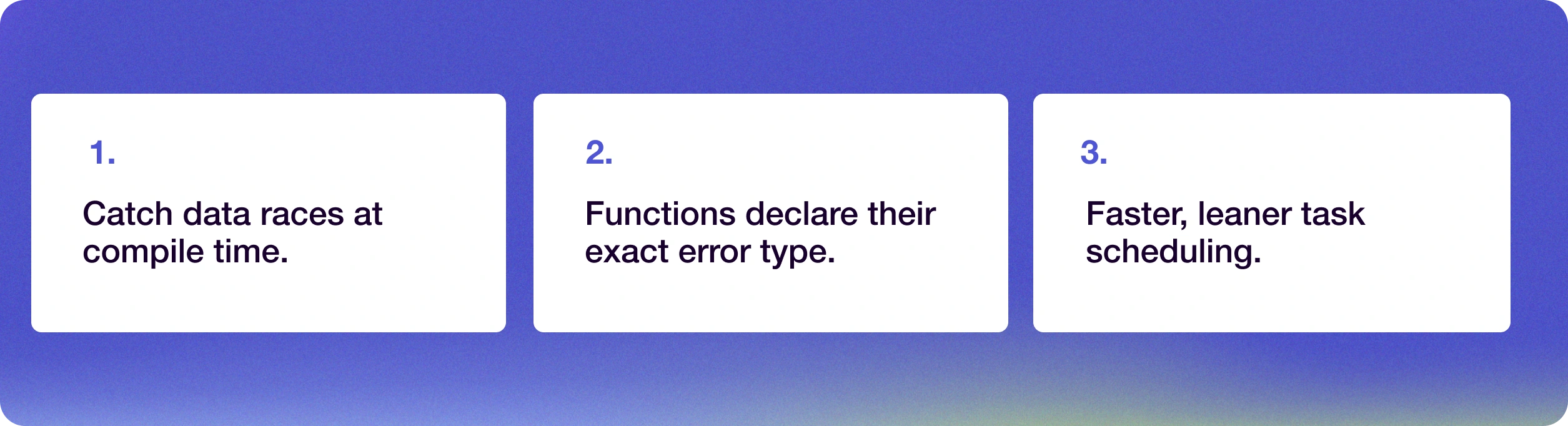
The headline feature of Swift 6 is Data Race Safety. For years we have dealt with threading and concurrency issues at runtime. Swift 6 addresses this by turning many of those runtime errors into compile-time errors, so we can catch the problems before the application is even built.
1. Data Race Safety by Default
The compiler now performs full isolation checking. If you try to pass non-Sendable types between different actors or threads, the code will not compile. It is a strict approach, and it removes a class of bugs that are notoriously difficult to debug in production.
2. Typed Throws
You can now specify exactly which type of error a function throws, which makes error handling more predictable:
enum DatabaseError: Error {
case connectionLost}func fetchData() throws(DatabaseError) -> Data
{
// The compiler knows only DatabaseError can be thrown here
}3. Enhanced Concurrency and Async/Await
While SwiftUI and concurrency have been evolving together, Swift 6 optimizes how the runtime manages task isolation. With Swift 6.2, we see even better performance in task scheduling, reducing the overhead of context switching (that moment when the system pauses one task to save its state and run another when moving between async functions or actors).
My Experience Migrating Projects at Devlane
When I started the Swift 6 migration for one of our internal projects at Devlane, an app that relies heavily on background socket events and real-time synchronization, the goal was clear: take advantage of the language's new safety and performance guarantees to make the codebase more robust.
The most interesting challenge wasn't the syntax but rethinking how data flowed between WebSockets, Core Data, and the UI. Swift 6 gave us the tools to make that flow explicit and compiler-enforced, rather than relying on conventions and careful manual handling.
In this app, events stream through WebSockets in the background. Swift 6's strict concurrency model pushed us to formalize the architecture we already had in mind: cleaner thread boundaries, explicit actor isolation, and a more predictable data flow from the socket layer to the UI.
Swift 6 Migration: Key Patterns That Work
- Core Data Isolation: The most common error was passing NSManagedObject instances directly from the WebSocket background thread to the view layer. In Swift 6, these objects are not Sendable. I refactored the logic so the WebSocket only passes the NSManagedObjectID, which is safe to transfer between threads. On the MainActor, I then fetch the object again to update the UI.
- UI Updates from Background:I had Core Data observers that tried to trigger UI updates when they received changes from the WebSocket, showing the progress of sent events or flagging failed ones. Swift 6 required those updates to happen strictly on the main thread.
- Race Conditions in the Socket: When several fast events arrived, the connection state was sometimes updated on different threads at the same time. I solved this with a dedicated Actor responsible for receiving messages, processing business logic, and writing to a privateQueueConcurrencyType context in Core Data. Only once the data is safely persisted does the actor emit an event to the main thread for the UI to refresh.
This structure removed all of the Swift 6 compiler warnings and made the application noticeably more stable, eliminating the random, silent crashes that sometimes appear with Core Data in highly concurrent applications.
How to Enable Swift 6 in Your iOS App Development Workflow
Migrating to Swift 6 is not an all-or-nothing process. Apple designed the transition to be incremental, which means you can start seeing the benefits and catching issues without committing to a full rewrite upfront. The toolchain gives you visibility before you make any breaking changes, and that makes the process significantly less risky on an active codebase.
To get started, you will need Xcode (the best IDE for swift development). Make sure you are running the latest version to access the Swift 6.x toolchain.
Step 1: Check Compatibility
Before jumping in, verify what iOS is needed to run Swift 6. While language features work on older versions, the data isolation benefits are best utilized on iOS 17 and 18 or later.
Step 2: How to Enable Swift 6 Strict Checking
Open your project in Xcode, select your Target, and go to the Build Settings tab. Search for Strict Concurrency Checking and choose from the three available levels:
- Minimal: The default for Swift 5. It only checks explicit Sendable adoptions and basic actor isolation where concurrency is already used.
- Targeted: A hybrid mode that enforces checks in code that has explicitly adopted concurrency features.
- Complete: The strictest mode (equivalent to the Swift 6 language mode). It enforces full data-race safety across your entire module, flagging potential issues as warnings or errors.
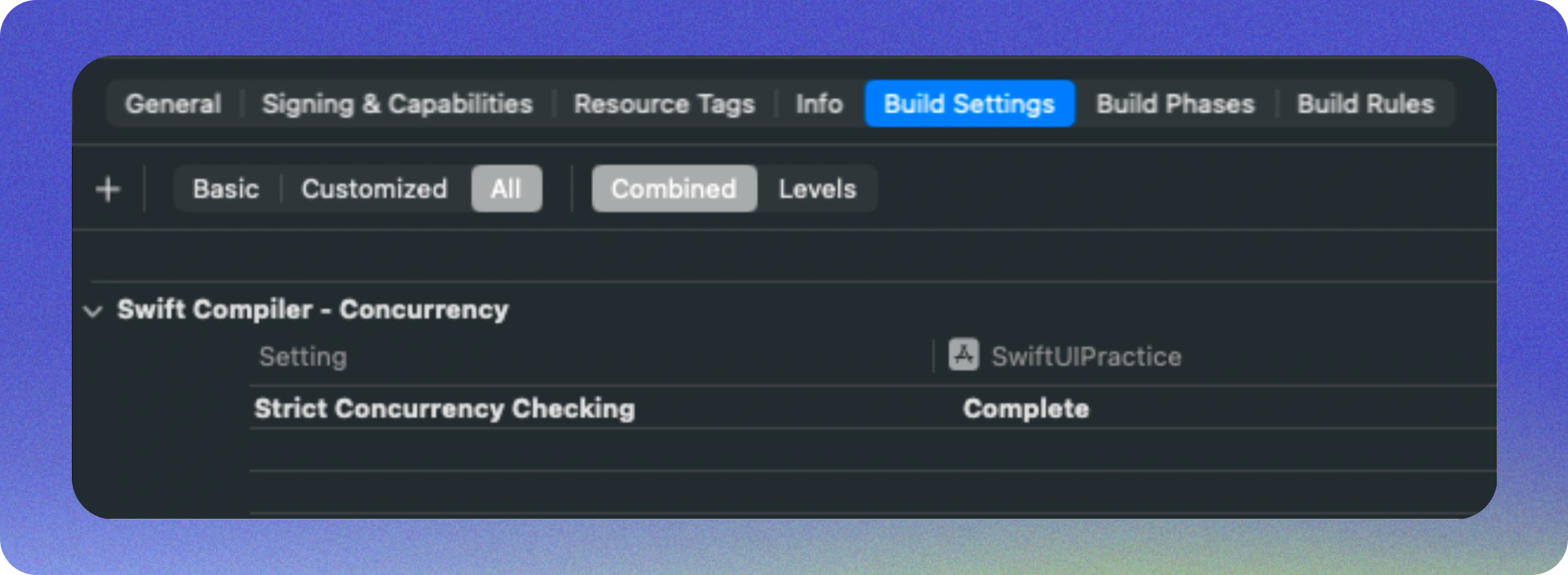
This will generate warnings in your current Swift 5.x code, showing you exactly where it will fail once you move to Swift 6.
Step 3: Step-by-Step Migration
- Isolate State: Use Actors to protect shared mutable state.
- Adopt Sendable: Ensure your data models conform to the Sendable protocol.
- Refactor Completion Handlers: If you are still using old-school closures, now is the time to move them to async/await. It makes the code cleaner and allows the compiler to help you with safety.
-
// Old way
func uploadBackup(completion: @escaping (Bool) -> Void) { ... }

// With Swift 6func uploadBackup() async throws -> Bool {
// Logic here
}
Swift 5 to Swift 6: Breaking Changes and How to Handle Them
The most significant change is that isolation is now mandatory. In Swift 5 you could pass a class instance between threads if you were careful. In Swift 6 the compiler stops you. Some global variables that are not protected by an actor will also trigger errors, so you will need to convert them into constants (let) or wrap them in a thread-safe container.

After migrating several modules, these are my personal conclusions:
- Do not silence the compiler: It’s tempting to use shortcuts to dodge the compiler. Every warning it gives you is a potential crash you are saving your users from.
- Use Task Groups: Using withTaskGroup allows you to process items in parallel safely, significantly improving performance compared to old sequential loops.
- Incremental Migration: If you have a large codebase, migrate module by module. Swift allows you to have different language versions for different targets within the same workspace.
Conclusion
Swift 6 makes the swift programming language the most robust choice for iOS development. Although the migration requires a shift in mindset, especially in how we think about memory and threads, the result is significantly more stable code.
For developers just starting with Swift, the advantage is clear, these safe concurrency patterns become second nature from the beginning, with no legacy assumptions to unlearn.
For teams working on existing codebases, Swift 6 is a structured opportunity to address technical debt in one of the most impactful areas of iOS development. The migration requires deliberate effort, but the result is measurable: fewer runtime surprises, more predictable behavior under load, and a codebase the compiler actively helps you maintain.


Other Blog Posts
.webp)
How to Build an AI Agent for Production