.webp)
API testing is one of the most critical parts of modern software development, and having the right tools makes all the difference. In 12 years testing APIs (auth flows, payments, third-party integrations, file uploads), Postman has been the tool I reach for first.
If you’re new to this space, you might be asking yourself what Postman is used for and how to use Postman to test API endpoints in a practical way.
My goal is to walk you through a clear and beginner-friendly introduction to API testing with Postman, covering everything from setup to sending your first request and applying simple testing strategies you can use right away.
What is Postman and Why Use It?
Postman is a tool designed to simplify API testing by letting you send HTTP requests to an API and easily review the responses.
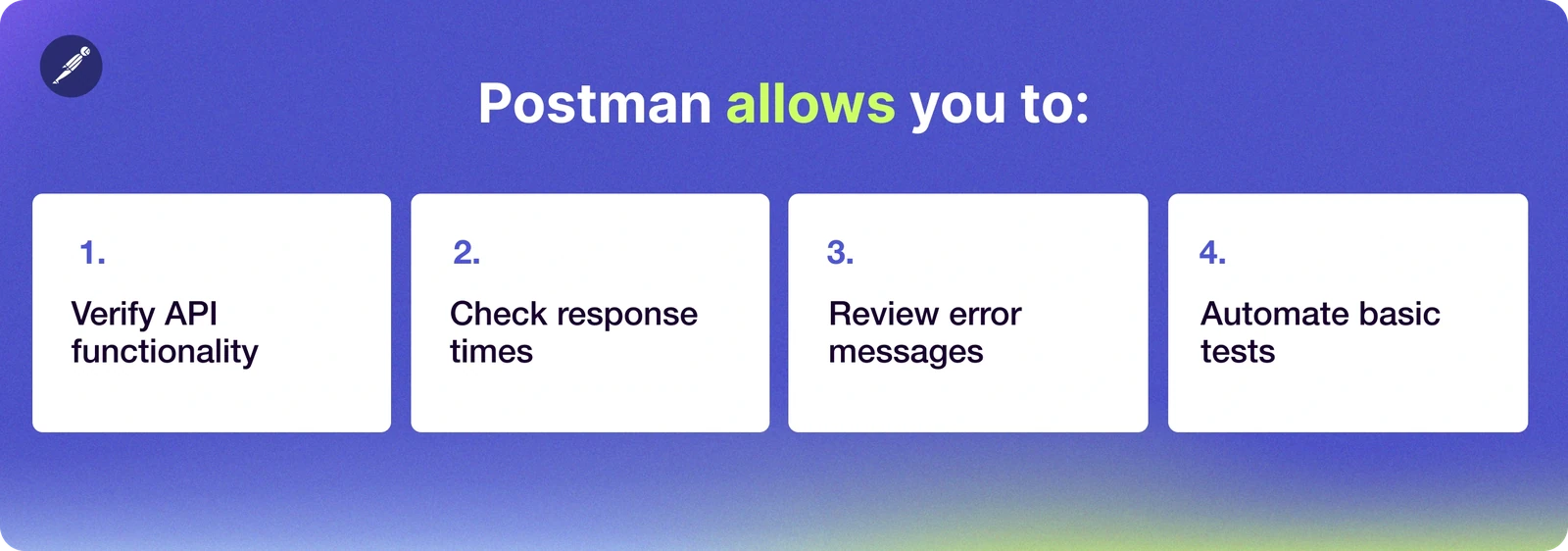
In my experience working as QA, including my experience at Devlane, Postman has consistently been one of the easiest tools to introduce to new team members. Even those without a strong technical background can get comfortable with it quickly and start testing APIs with confidence.
How to Install and Set Up Postman
Prefer to watch? Watch the full walkthrough on YouTube.
If you’re just getting started, don’t worry, getting Postman up and running is pretty simple.
Step 1: Download Postman
Head over to the official website and download the version that matches your operating system.
Step 2: Install and Open
Follow the installation steps and launch the application once it’s ready.
Step 3: Get Familiar with the Interface
When you open Postman, you’ll notice a few key areas you’ll be using most of the time:
- The request builder
- The Send button
- Tabs like Body, Headers, and Tests
There’s no need to understand every feature. The goal is to get comfortable with the interface and focus on sending your first request.
How to Use Postman to Test API Endpoints
Now let’s move into the hands-on part: how to use Postman in a real scenario.
Step 1: Create a New Request
Open Postman and click on “New” → “HTTP Request” to start from scratch.
Step 2: Choose the HTTP Method
Select the type of request you want to send. The most common ones are:
- GET → retrieve data
- POST → create new data
- PUT → update existing data
- DELETE → remove data
Step 3: Enter the Endpoint
For this example, you can use a public API like: https://jsonplaceholder.typicode.com/posts
Step 4: Click Send
After sending the request, Postman will display the response details, including:
- The status code (for example, 200 OK)
- The response body (usually in JSON format)
- The response time
If everything went well, you’ve completed your first API testing interaction using Postman.
Writing Your First API Test
Now that you've sent your first request and seen the response, the next step is making sure those responses are actually correct. That's what API testing is really about. In Postman, you can do this using the Tests tab.
Go to the Tests section and add the following script:
After that, click Send again and check the results.
If everything is working as expected, you’ll see the test pass. Just like that, you’ve created your first automated check, an important step in building reliable API tests.
Types of API Tests You Should Know
While learning API testing, you’ll come across different types of tests, each focused on a specific aspect of how an API behaves. Let’s review each type of testing:
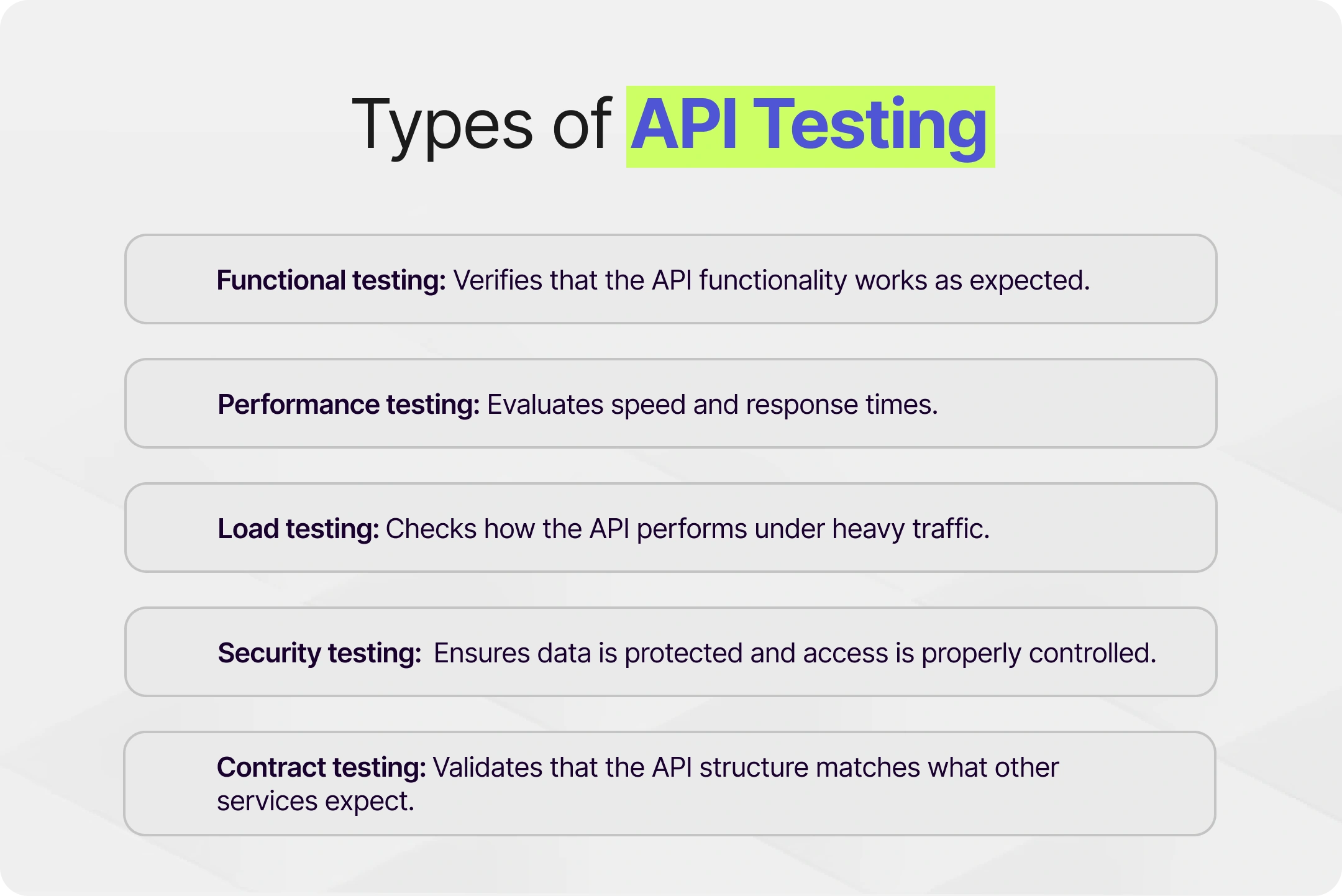
Most QA engineers start with functional testing to understand the basics, and then gradually expand into more advanced areas like performance testing and security testing as they gain confidence and context. My advice is to go slow but steady.
Validating Responses and Error Handling
A really important part of how to use Postman to test API endpoints is learning how to properly validate responses, not just checking that something comes back, but making sure it’s actually correct.
For example, while testing a payments API, I once had a case where everything looked fine at first glance, status code 200, response received, no errors. But when we validated the response body more carefully, the currency format was incorrect (usd instead of USD). It sounds small, but that kind of inconsistency can break reporting systems downstream. That’s when adding simple validations in Postman really paid off.
Check Response Data
You can verify that the response contains valid data using a simple test like this:
This helps confirm that the API is returning correct information.
Validate Response Times
It’s also useful to keep an eye on performance. For example:
Monitoring response times can help you detect performance issues early.
Handle Error Messages
Good API testing isn’t just about checking happy paths, in my experience, bugs usually live in the negative scenarios, so they are as important as happy ones.
I remember catching a bug in a notification service where, instead of returning a clear error when a required field was missing, the API just gave us a generic 500. It was pretty confusing at first. After testing different cases in Postman and intentionally sending incomplete payloads, we figured out what was going on and fixed the error handling so it was actually useful.
Some common cases to try:
- Invalid endpoints
- Missing parameters
- Invalid formatting
- Additional blank spaces
- Unauthorized requests
In each case, you should verify that the API returns a clear error message along with the appropriate status code (for example 400 or 401).
Negative tests often reveal edge cases that aren’t obvious at first, and they can significantly improve overall API reliability.
Organizing Your Work with Collections
In my experience, organizing collections properly makes a big difference once your tests start growing.
Benefits:
- A clearer testing strategy
- Better reusability of requests
- Easier collaboration with your team
As a team we usually organize collections based on:
- Features (Users, Payments, Orders)
- Environments (QA, Staging, Production)
This structure helps keep everything consistent and easier to navigate, especially as things grow. Over my years at Devlane, I've had the chance to work on different projects, and having this kind of organization in place makes a real difference: you onboard faster, understand the system quicker, and can contribute meaningfully from early on. It also makes things smoother for new team members joining a project, since they can get a sense of how the APIs are structured just by exploring the collections."
Improving Test Coverage
Once you're comfortable writing tests, the next question is usually how much of your API you're actually covering. That's what we call test coverage: the percentage of endpoints, scenarios, and edge cases that your tests reach. The more complete your coverage, the more confident you can be in your system.
I focus on:
- Covering all available endpoints
- Including both positive and negative scenarios
- Testing edge cases that might break the system
A solid testing strategy is not about testing everything expecting to see a 200 response code, it’s about finding the right balance between depth and efficiency.
Using Postman in CI/CD Pipelines
Once comfortable with API testing, you can start integrating Postman into your CI/CD pipelines.
This allows you to:
- Run tests automatically on every deployment
- Catch issues early in the development cycle
- Maintain consistent quality across environments
Tools like Newman make it possible to execute your collections as part of an automated workflow.
Real-World Experience
In my experience at Devlane, I’ve used Postman to test different types of RESTful APIs, such as:
- Authentication APIs (login flows, token validation)
- Notification services (email triggers, push notifications, SMS delivery)
- File upload and download APIs (handling media, validating file types and sizes)
- Payment processing APIs
- Third-party integrations (external services, webhooks, data synchronization)
- User management systems
One case I remember was a third-party integration where we kept seeing intermittent failures that were hard to reproduce manually. We ended up creating a Postman collection covering different edge cases like invalid inputs, timeouts and partial failures, just to see if we could reproduce the issue more consistently. After fixing it, we kept those tests as part of our regression suite, and it made a big difference in catching similar issues early.
Over time, I’ve learned that API testing is not just about sending requests, it’s about understanding how the system behaves under different conditions. And lately, AI has become another tool in the QA toolbox. If you want to see how we're using it at Devlane, check out how to use AI to become a better QA engineer.
Key Takeaways
- Postman is the go-to tool for API testing, especially for teams starting out
- Real API testing isn't just sending requests, it's validating responses are correct
- Negative tests (invalid inputs, missing params) catch bugs that happy-path testing misses
- Organize tests into collections by feature and environment to keep things scalable
- Integrating Postman into CI/CD pipelines catches issues before they hit production
Conclusion
Tech moves fast, and it’s easy to feel overwhelmed when picking up a new tool like Postman. But from my experience, understanding the basics first makes a huge difference.
You don’t need to learn everything at once. Start simple: send a few requests, look at the responses, break things on purpose, take notes, ask your teammates questions, and see how the API reacts. That’s where the real learning happens.
Over time, things start to make sense. What felt confusing at the beginning becomes part of your daily workflow, and you naturally start applying that knowledge to real problems.
If you stay consistent and keep building on those fundamentals, API testing becomes much more intuitive and a valuable skill to have.
That's the mindset I bring to my work at Devlane every day. If you're scaling a team and need QA engineers who think this way, Devlane is the way to go. Contact us.
And if you're a QA yourself, I hope this guide was helpful. If you're looking for what's next, check out our open positions.


Other Blog Posts
.webp)
How to Build an AI Agent for Production